Posts Tagged: Upgrade Your Cables Without Replacing Accessories
Device Compatibility Guide: USB to USB C Adapter
The usb to usb c adapter often looks like a tiny plastic pebble, yet it carries a big promise. Plug it in, and suddenly an old cable talks to a newer device. In the first few minutes of use, many people discover it feels as ordinary as plugging in a lamp. Still, questions pop up fast, sometimes in the middle of a busy office that smells faintly of coffee and commercial cleaning supplies. The key is knowing what works, what doesn’t, and why your phone sometimes sulks instead of charging.
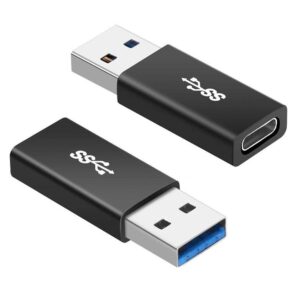
Adapters like this don’t magically rewrite hardware rules. They act as translators. If both devices speak the same “language” for power or data, the conversation flows. If not, things get awkward. Picture two people waving their arms, smiling politely, and getting nowhere.
Smartphones and Tablets
Most modern phones accept a usb to usb c adapter for charging without drama. Android devices usually behave well. Older tablets may charge slowly, like a turtle with a backpack. Fast charging often depends on the charger brick, not the adapter itself. If your phone says “charging slowly,” that’s not sarcasm. It’s being honest.
Data transfer is a different story. Some phones allow file sharing through the adapter. Others block it, especially budget models. A quick test helps. Plug it in. If your laptop recognizes the phone, you’re good. If nothing happens, shrug and move on.
Laptops and Desktop Computers
Computers tend to be pickier. A usb to usb c adapter works fine for flash drives, keyboards, and mice. Plug in a printer and it usually hums along happily. Try powering a laptop through one, and you’ll likely hit a wall. Most laptops refuse power delivery from older USB-A ports. That’s a safety thing, not stubbornness.
For data tasks, adapters shine. Moving photos. Syncing files. Updating firmware. It feels old-school, yet dependable. Like using a paper map when your GPS dies.